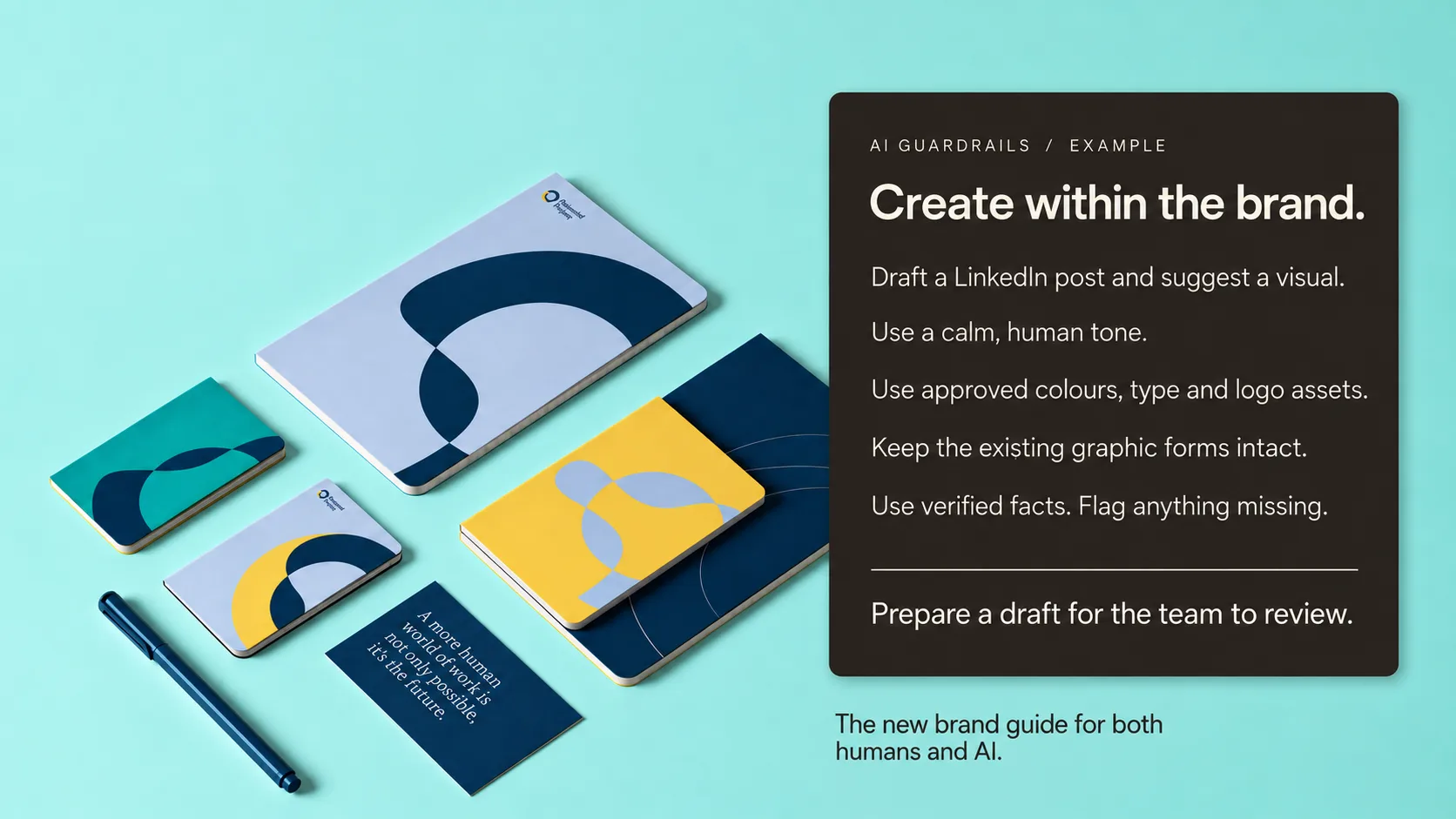
A brand guide has always been about guardrails. Helping brand, product and marketing teams understand what makes a brand recognisable, and giving them clear rules to work with.
Which logo. Which colours. Which fonts. How the brand sounds. What stays consistent, and where there is room to play. A shared foundation that makes everyday decisions easier and keeps the work on brand.
Now there is a new player in that process.
AI helps teams write headlines, create visuals, edit video and maintain websites. And it needs those guardrails too, expressed in a way it can use.
That is how we are enhancing the modern brand guide. Alongside the visual identity and tone of voice, we build a set of practical AI instructions grounded in the same brand decisions. One guide that speaks to both humans and AI, helping teams create, maintain and update their work more easily while keeping it on brand.
For people, “confident, but never arrogant” can start a useful conversation. For AI, we add approved examples, clear boundaries and instructions for what to do when something is unclear. The team gets a shared reference, and its tools get usable direction.
At Granyon, we help put that guide to work in the tools your team uses every day. The benefit is practical: less guesswork, fewer repeated corrections and more time to build the brand.
The starting point is still understanding your organisation and your audience. Our work for Potential Project, for example, connects a human approach to work with an identity built around changing, moving forms. For Nordic Harvest, the identity extends across packaging, banners and the website. Viewport’s framing device connects its logo, graphics and digital experience.
Those are the kinds of distinctive decisions a guide needs to protect. Here is how we can carry that thinking into an AI-supported workflow.
Instead of asking AI to “follow the brand,” we expand the brand guide with concrete guardrails:
- Use the supplied logo asset. Never redraw it or generate a substitute.
- Choose from approved colour combinations and type styles. If the requested format doesn’t fit, flag it rather than inventing a new style.
- Keep the product’s shape, proportions, packaging and label unchanged. Generate a setting around approved product imagery, then check the finished composition.
- Use the approved motion examples to guide pace and transitions. Keep essential words and brand marks readable.
The guide also explains what can change. A launch campaign may have more energy than a service update. A social crop may be tighter than a website hero. Consistency needs room for different situations.
The same applies to words. “Sound like us” becomes an instruction with examples: open with the audience’s concern, use plain language, explain the benefit and close with one clear next step. Show an approved headline beside an unsuitable one and explain the difference. Define how the voice changes between LinkedIn, a product page and a customer reply.
We also separate style from facts. A team might prefer “sustainable” to “eco-friendly,” but vocabulary is not evidence. AI should use approved product information and supported claims, and flag missing facts instead of filling the gap with something convincing. Testimonials, statistics and promises need a source.
Then we bring those rules into the tools.
In Canva, that can mean a Brand Kit with the right assets and fonts, plus templates for the formats the team actually needs: campaign posts, presentations, recruitment and product launches. We define editable areas for copy and images, protect essential brand elements, and configure the available brand controls and approval roles. A marketer can adapt a campaign without rebuilding its visual identity. Brand voice guidance and examples give AI-assisted copy a useful starting point too. Canva’s brand tools support this approach; the setup depends on the team’s plan and workflow, like we dev eloped for JSP Events.
If your website is built in Webflow, we help configure the available AI functionality around its existing design system. Instructions can reference your components, styles, content structure and voice. An everyday request might be: “Turn these approved notes into a draft case study using our existing case-study structure. Suggest a summary and image descriptions. Flag missing information.”
The boundaries are equally clear: reuse approved components, preserve typography and spacing, and keep the result as a draft for review. We set permissions to match each person’s role and test the workflow before handing it over. [Webflow supports reusable AI instructions and role-based access, but instructions alone do not guarantee compliance. Previewing and checking changes remains part of maintenance.
The new Brand guide
A useful handover therefore includes the guide, approved assets, reusable instructions, working templates and a small set of test tasks. We show your team how to use them, who owns the rules and how to update them as the brand grows.
The practical benefit is less starting from scratch, fewer avoidable corrections and more time for the decisions that deserve your attention. Your team can create more confidently while keeping a clear point of view.
We still believe in staying personal, embracing the imperfect and telling your own story. AI can help carry the daily workload. Human judgement keeps the work meaningful.
Every new touchpoint is another chance to strengthen what people recognise and trust about you.
Your brand guide should help make that happen.
More possibilities. Always on brand.
Want to make your brand easier to use, for your team and their AI tools? Let’s talk.